Chama Design
GQC Chama product is a Django Project. The database is SQLite. The reason we are using SQLite is that we do not have to get an instance installed on EPA machines. The Downsides of this choice is SQlite does not work as well with large datasets as our database options.
There is currently no UI on this project we plan on changing this with the current iteration. However that is a secondary task the first task is to Create the Ensemble runs for Chama.
Defining Ensemble
In this document we will define the Ensemble as the runs/inputs that are generated up to and including the process of Generating the combined Signal File.
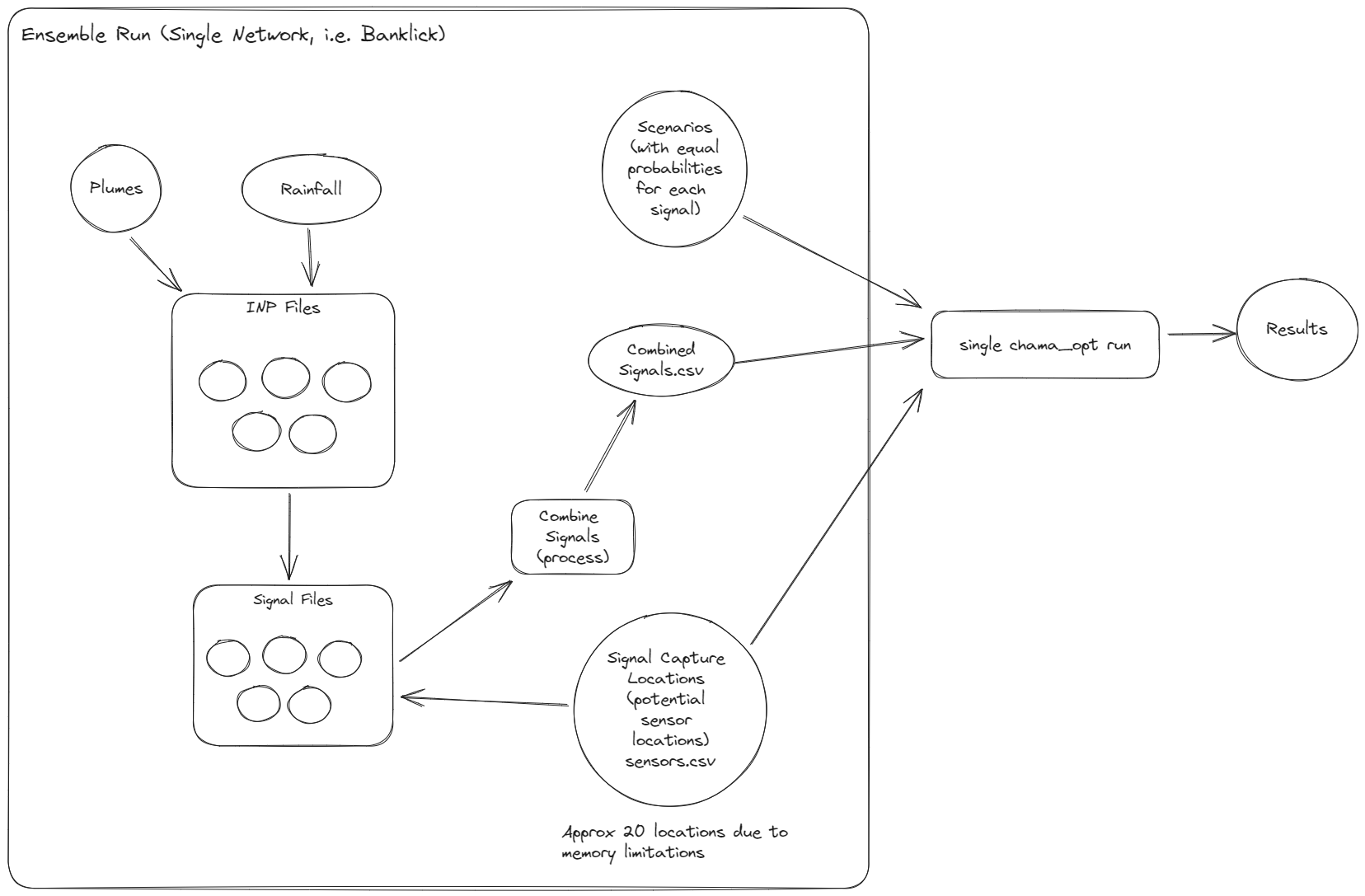
Light Blue is a script that we have already created the script may need modification.
Light Green is a script that does not currently exist.
Rainfall
The easiest way to get rainfall data is to download it from EPA Stormwater Calculator. https://swcweb.epa.gov/stormwatercalculator/ The rainfall is from multiple gages in the Banklick Area There are 5 rain gages. The data that is downloaded is between 1/1/1990 and 12/31/2019 Giving us 30 years of Rainfall data. The rainfall is downloaded in a rainfall.dat tab delimitated file and while it is not labeled it is easy to figure out what the columns stand for.
Station ID, Year, Month, Day, Hour, Min, Value.
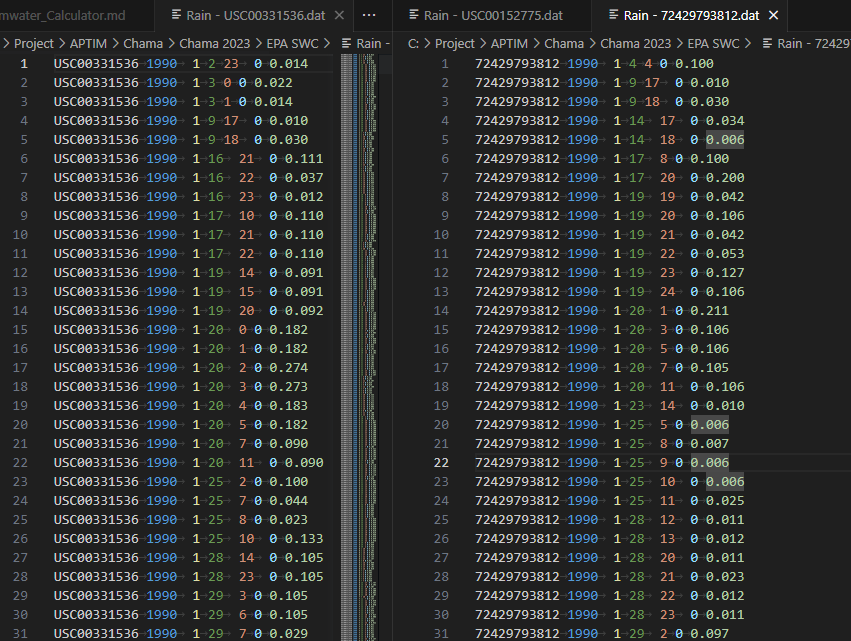
This is one of the formats that will work with SWMM however it is not the only one.
Station ID, Date, Time, Value.

Station ID, Date, Time, Value.
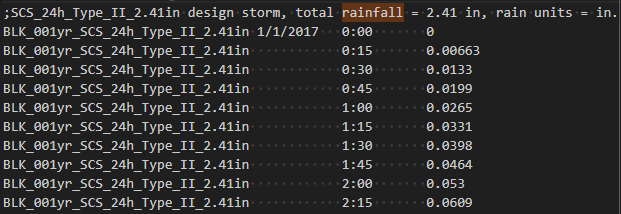
I found an example in Example 6 where there is no date.
Station ID, Date, Time, Value.

Since we want to make this as easy to use on other inp files as possible I would pick the one without a date. That way the start of the simulation will not effect the rainfall available.
Write a script to automate adding rainfall data to SQLite.
This has been written up. Just a quick python file that takes the rainfall.dat file and it's tabular format parses it converts the date and time values into Unix Timestamp and inserts into the database.
Issues/Improvements for this script.
- There were 25 hours in some of the days.
- Starting around 2016 there were some days that went from 1-24 rather than 0-23 of before. So I took the 24th hour and made it the 0th hour of the next day.
- This had a little bit of a cascading effect where when doing this I added an additional day to some months so then I needed to check that the day I added was not over amount expected in the months.
- I did not automate the process.
- I should have taken all files with the .dat file type and ran them through a loop. I did not I just inserted 5 files by changing the value in the file. Then name of the file is currently hardcoded.
- I currently have the value as datetime it should be SimUnixTime or UnixTime.
Script to pull 24 hrs of rainfall based on criteria of intensity or amount.
This script needs to do the following:
- Connect to the Sqlite Database.
- Get all of the data from 1 rainfall station.
- Based on Anne's feedback we will need either the highest intensity or hightest amount of rain from the rainfall in a any 24 hrs.
- Then write the selected data out to a rainfall.dat folder using the format above.
Plume Generation
Here there are 2 possible ways the plume could be generated.
Gaussian Plume
In the case of a Gaussian Plume then the inputs needed will involve the following:
- Wind Direction
- Wind Speed
- Stability Class
- Plume amount
- Start location
- Grid
- Gradient Plume Values
Sudhir is looking into Gaussian Plumes to see if we can generate the plume and use the Banklick network as our Grid or to place a Grid overtop of the Banklick network.
Use a Script to generate the Plume.
In this case the inputs will be slightly different than the Gaussian Plume.
- Wind Direction
- Plume Amount
- Start location
- Gradient Plume Values
- X and Y lengths for the Gradient Plume.
This is something that Caleb said he would look into. The Functional Specifications would be as follows:
- Start location and wind direction would be picked.
- Find the X and y location of the start.
- Compute the direction that wind will be blowing in the pollutant. This should be in the X and y coordinates of the network.
- Compute the gradients of the Plume. For the current plumes there are 3 gradients for Cesium.
- 40000000000000
- 1000000000000
- 250000000000
Outputs
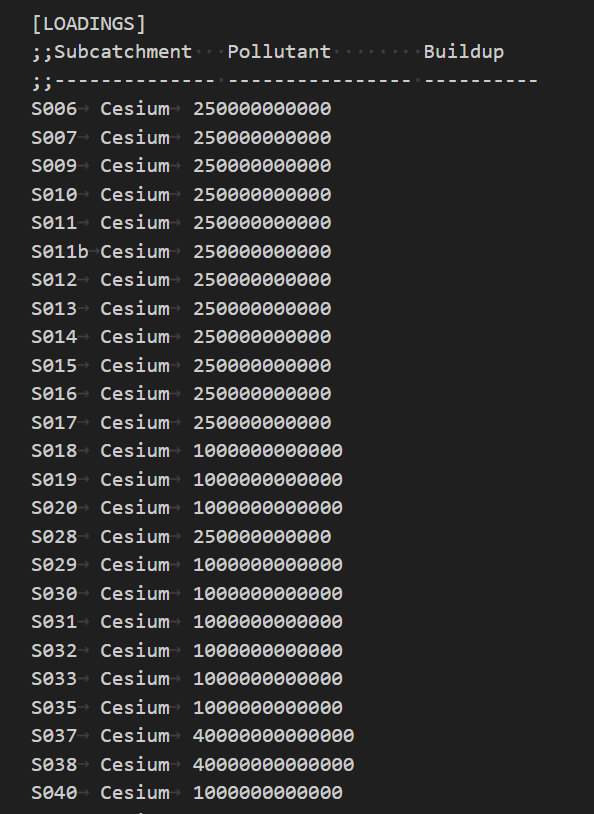
In both cases the data will need to be formatted for The loadings section of the INP file.
We currently are not sure on this format. If we can get the SWMM API to write the loadings section into the SWMM Run. (Sudhir's Preferred method) then the data will need to be in the format the SWMM API can read.
If we cannot and need to generate the INP files then the format will be the same as the loading section in the INP files.
INP File Generation
The main thing to design here is how we are planing on generating the INP file. Do we want to create an actually file or try to hack PySWMM so that we can on the fly replace the loadings section.
Reasons why this would be a good idea.
- We are eliminating INP files.
- We will only use on base one and then modify it on the fly.
- We can backtrace to see any combination by using the Database.
- The UI might handle this but we don't have a UI yet.
- We are generating Signal Files they are big why would we also want to generate large INP files as well.
Reasons to generate an INP file
- With no UI do we really want to deal with people who many not now how to query a Database dealing with the database.
- If we do this then If someone knows what they are doing then they can run multiple rainfalls through the same inp files without having to re-run the generate inputs Scripts.
- Anne specificity asked for INP files.
Combine Signal Files
This script file needs to be reworked. Currently it only takes 2 scripts. The file will need to do the following:
- The signal files should be named something like Banklick_signal_1.csv Banklick_signal_2.csv (auto incrementing for signal files.)
- This way we will have unique names for the header of the combined signal files.
- The new combined signal file should be called combined signal file.
- We will need to be more flexible with the coding right now we have 2 files and combine them using a dataframe. This can be modified to have an unknown amount of files.
- Use a for loop to create a list of signal files and relative paths.
- Create a list of Signals based on the database on the relative path.
- Use the List of signal names based on the signal files This will be the headers for the new CSV.
- Read each of the signal files using pandas dataframe.
- Create final Dataframe.
- For the first signal dataframe should be copied over
- Merge in the Signal files into the dataframe based on Node and T columns.
- Check for blanks
- Change the columns that are not Node or T to type in.
- Write the file to the CSV
- Add The file path and signal name into the Database.